v0.5.2-beta • Open Source

Beautiful Bottom Navigation
for Compose Multiplatform

Framework-agnostic, production-ready, with smooth animations and zero navigation dependencies.
Maven Central License Kotlin Platform

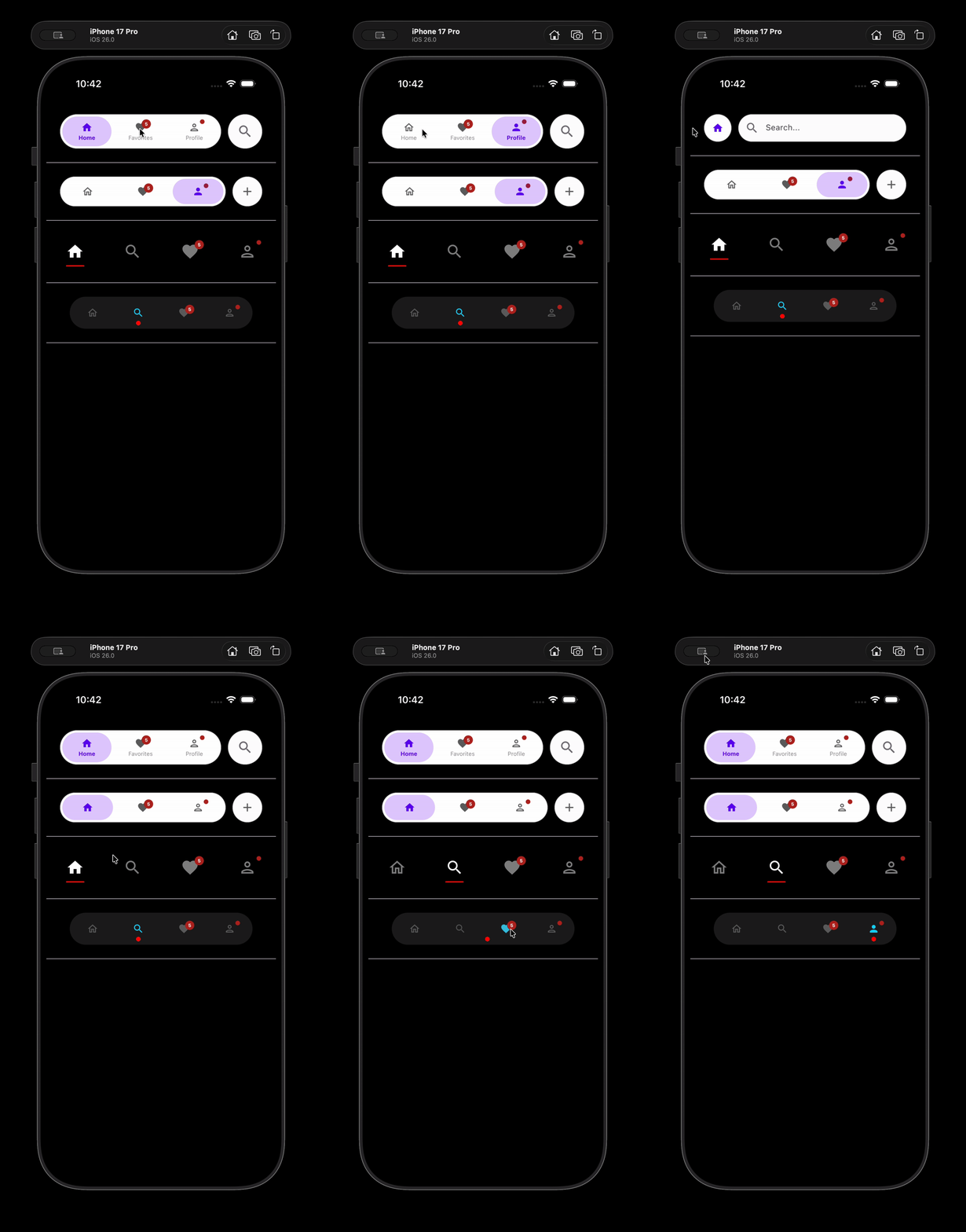
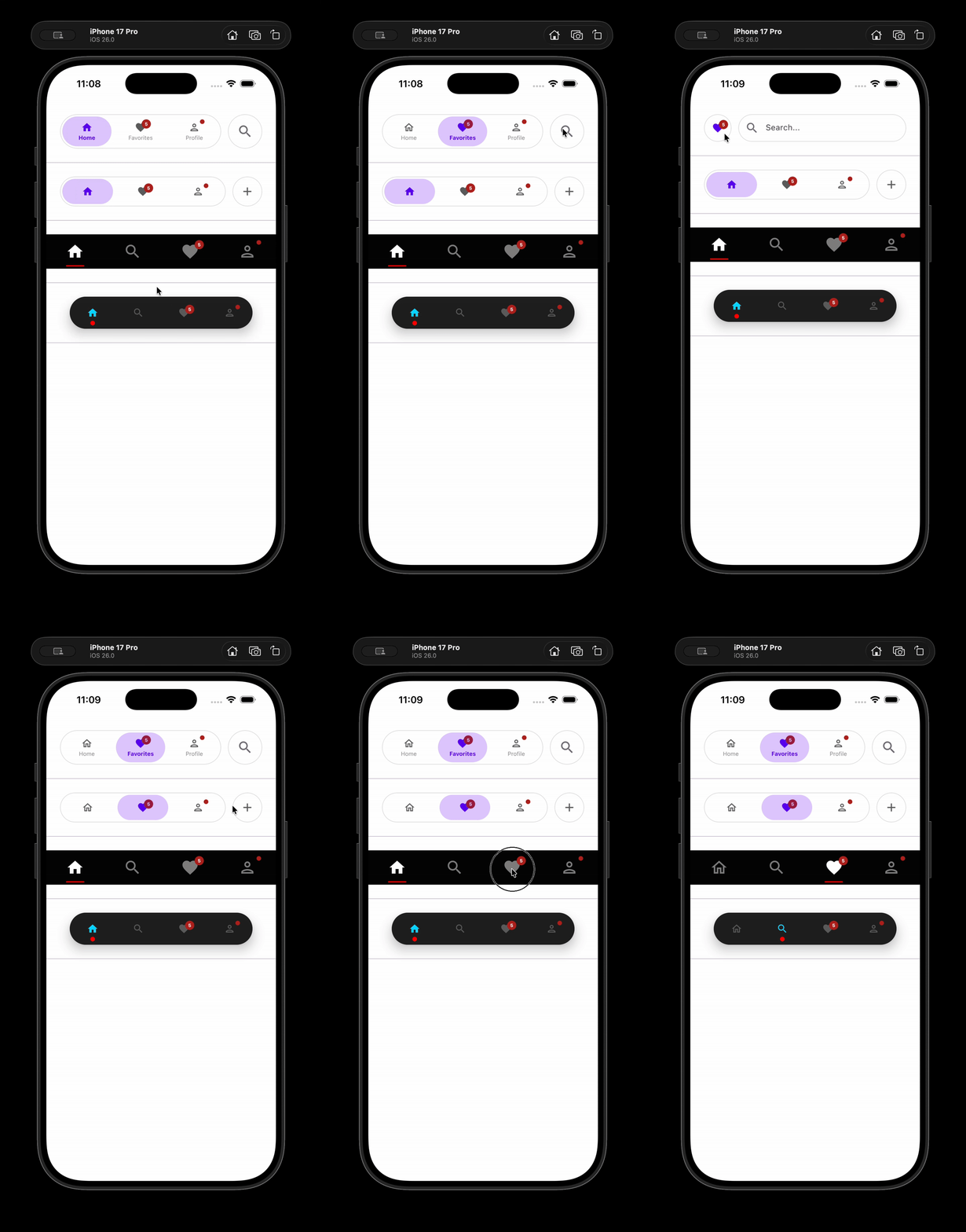
See It In Action

Smooth animations and beautiful design that feels native

Production-Ready Animations

Experience fluid transitions and smooth interactions designed for real-world applications.

Smooth Scale Effects

Icons animate with perfect timing and easing

Expandable Search Bar

Beautiful search integration with natural animations

Glassmorphism Effects

Optional blur effects with Haze integration

Badge Notifications

Show counts or indicators on navigation items

Light Theme Demo

Light Theme

Smooth & Minimal
Dark Theme Demo

Dark Theme

Bold & Vibrant

Powerful Features

Everything you need for production-grade navigation

🎯

Framework Agnostic

Works with Navigation3, Decompose, Voyager, or plain state—you control the logic.

🎨

Beautiful Animations

Smooth 60fps transitions and scale effects that feel native on all devices.

🔍

Search Integration

Built-in expandable search with customizable callbacks.

🎭

Glassmorphism

Optional blur effects with Haze integration for stunning visuals.

🔔

Badge Support

Show notification counts or dots without extra UI elements.

Lightweight

Zero navigation dependencies, minimal overhead, tiny footprint.

🎛️

Highly Customizable

Extensive styling options with sensible defaults.

🌐

Multiplatform

Android, iOS, and more. Share code across platforms.

Installation

Add FlowTab to your project in minutes

# In your libs.versions.toml (Recommended)
[versions]
flowtab-cmp = "0.5.1-beta"

[libraries]
flowtab-cmp = { module = "io.github.alims-repo:flowtab-cmp", version.ref = "flowtab-cmp" }
// In your module's build.gradle.kts
dependencies {
    implementation(libs.flowtab.cmp)
}
// build.gradle (Groovy DSL)
dependencies {
    implementation 'io.github.alims-repo:flowtab-cmp:0.5.1-beta'
}

Define Items

Create a list of NavItem with labels and icons

Add Component

Place BottomNavigation in your Scaffold

Handle Selection

Update state on item selection and navigate

Selection Indicators

Choose the style that matches your design

◼️

Ripple

Full-width background highlight. Perfect for bold designs and high contrast.

Material Design 2 • Bold branding

Dot

Small circular indicator below items. Modern and minimal aesthetic.

Instagram-style • Clean layouts

Line

Horizontal line below selected item. Material Design 3 style.

Material Design 3 • Elegant UI

Framework Integration

Works with any navigation solution

🧭

Navigation Compose

📦

Decompose

🚀

Voyager

🎨

PreCompose

🏗️

Appyx

📊

Plain State

Configuration

Customize every aspect of your navigation

Parameter Type Default Description
height Dp 60.dp Height of the navigation bar
cornerRadius Dp 60.dp Border radius for rounded corners
maxWidth Dp 460.dp Maximum width (for tablets)
animationDuration Int 250 Duration in milliseconds
enableBlur Boolean true Enable blur effects
showLabels Boolean true Show text labels

Best Practices

Follow these patterns for optimal implementation

✓ Recommended

Keep NavItems stable with remember
Use descriptive, unique IDs
Match indicator to your design language
Handle search with debouncing
Test on different screen sizes

✗ Avoid

Recreating items on every recomposition
Using generic or duplicate IDs
Expensive operations in onQueryChange
Ignoring state management edge cases
Adding too many items (5-7 recommended)

Ready to Build?

Start using FlowTab today and deliver beautiful navigation to your users.